Remote Desktop
How to enable VNC server on macOS
To Remote Desktop to a Mac computer using VNC, you need to enable Remote Management on it first.
Enable Remote Management
-
Open System Settings
Go to the Apple menu > System Settings.
-
Find Remote Management
Find Remote Management, either by searching or by going into General > Sharing > Remote Management.
-
Turn on Remote Management
Turn on Remote Management.

If you want to use VNC Authentication
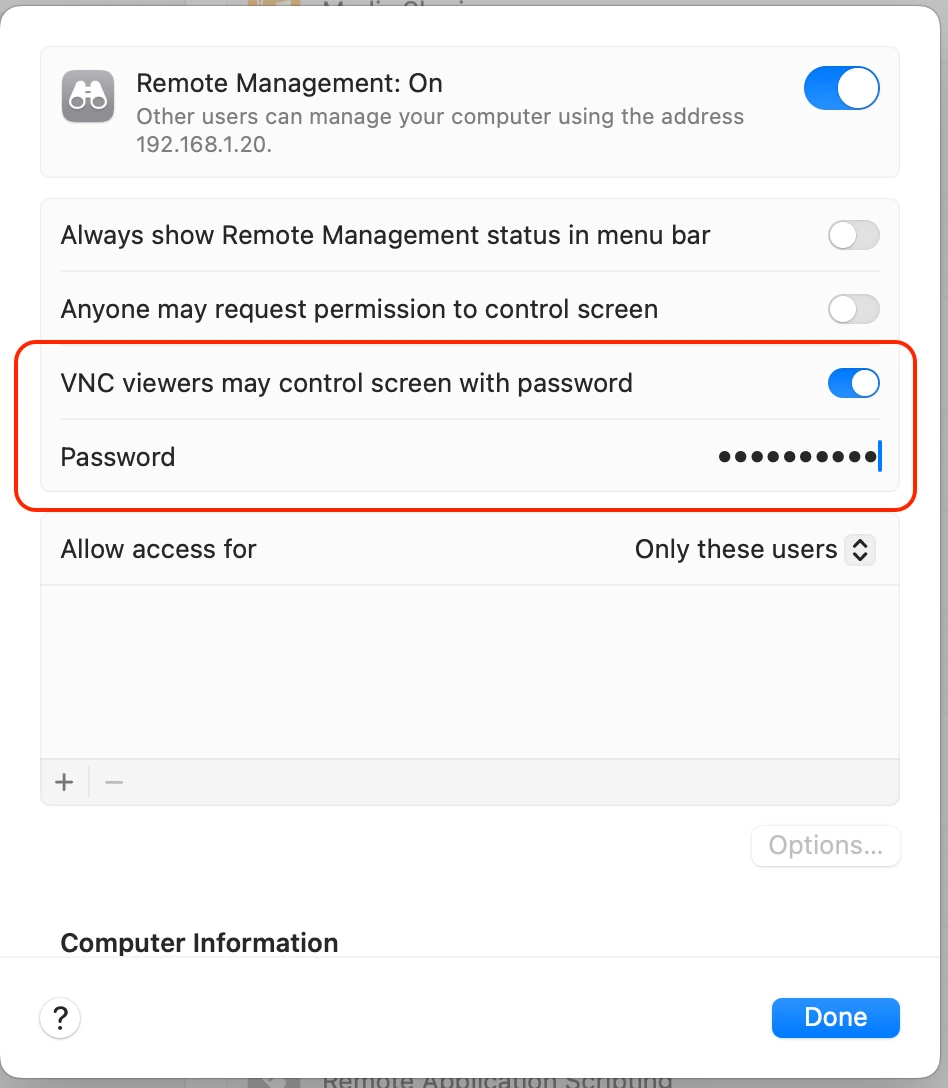
You have the option to VNC using a separate password via VNC Authentication.
In Remote Management settings select VNC viewers may control screen with password and choose a password.

If you want to use Apple Remote Desktop authentication
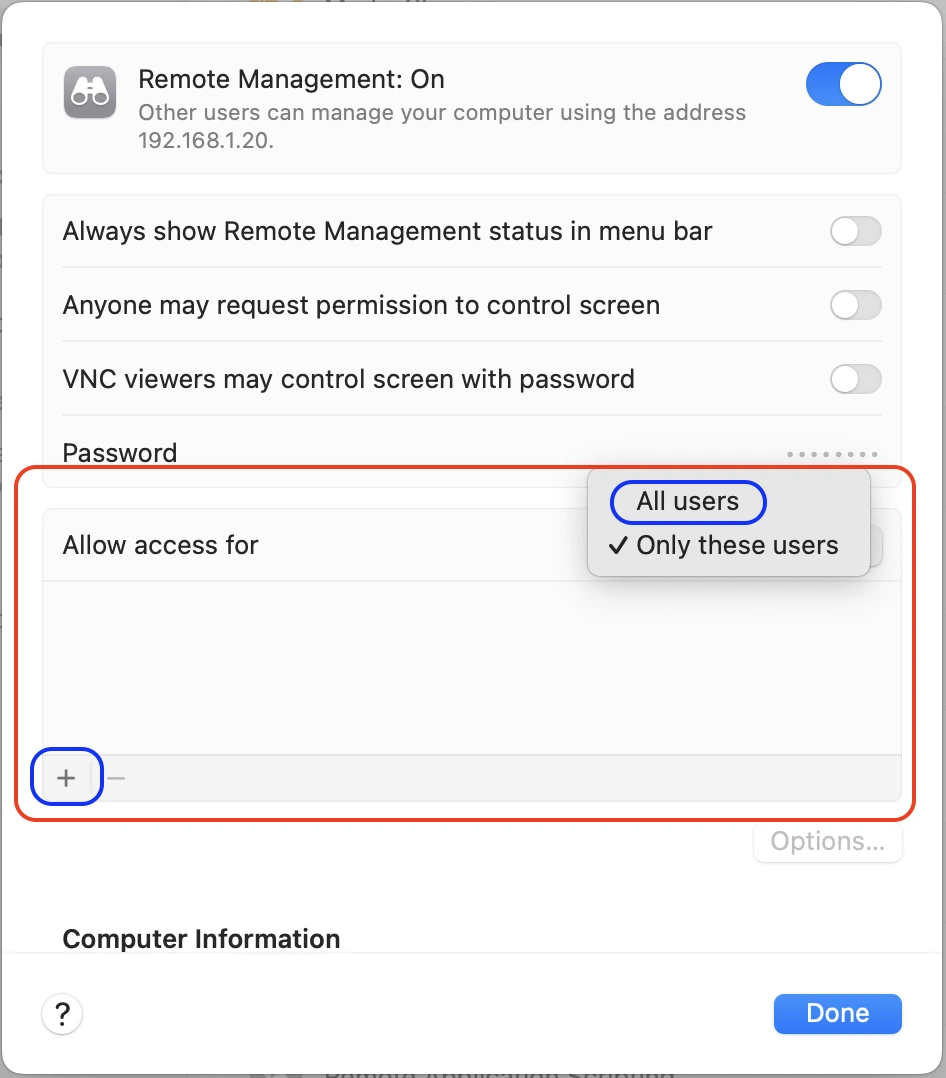
You can also use your Mac's user credentials via Apple Remote Desktop authentication.
In Remote Management settings select the user(s) you want to allow access for in the Allow access for section.